4/7/2009 Photomatix Aperture Plugin 1.0 released
You can save 15% by buying through our affiliate offer.
2/4/2009 Photomatix Pro 3.1.3 released
Photomatix 3.1.3 final release features important improvements and some bug fixes (see download page):
- Lightroom Plugin improvements
- Faster HDR generation
Download Windows
Download Mac
1/18/2009 Improved Version of the Lightroom Plugin released
6/8/2008 Photomatix 3.0.3 in German released
Download from here
Photomatix 3.0
Photomatix has been our core tool for HDR and Tonemapping for more than a year. We have written many articles on this subject and it is a core part of our new workshops.
We checked the new Mac version. The main focus is clearly better alignment, improved Exposure Blending and workflow.
Improved alignment
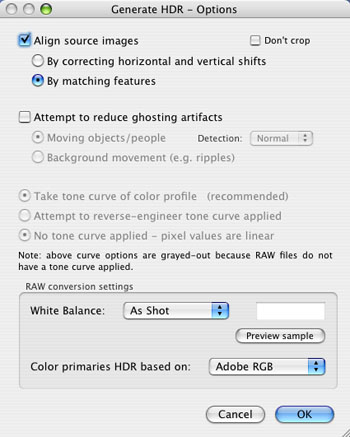
Photomatix has now a much improved alignment option (second option). It is slower (because more complex algorithms are used) but also in some case way more precise. If one method does not work for you then it is always a good idea to try the other one.
Rules of thumb:
- From tripod: Try method #1 (yes even shots from tripod can be slightly misalligned)
- Freehand: Try method #2
Preview and settings dialog in different windows
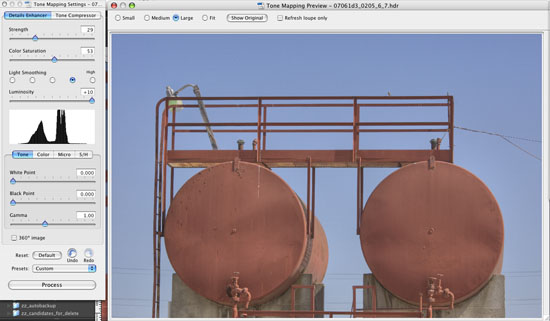
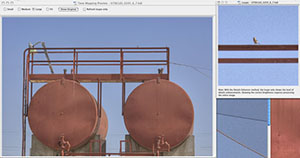
The settings dialog, the preview and the loupe are all in their own windows and can be moved independently on screen.
Much improved Preview and Loupe for Tonemapping
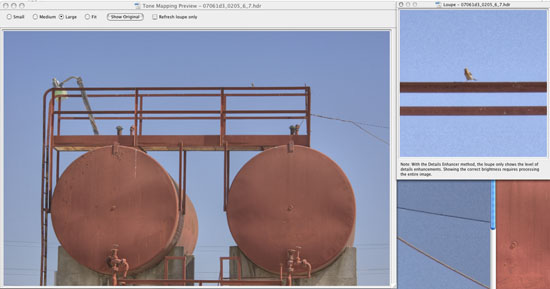

The preview can now fill the whole screen (refresh takes of course a bit longer) and the Loupe can be showed at the same time as the preview.
New Preset-Management
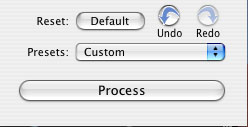
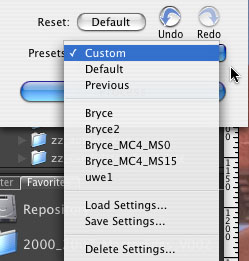
The user can now define his own presets and save/load/remove them easily. We requested this new feature for a while and are quite happy with its implementation.
Improved Exposure Merging (covered in an extra full article)
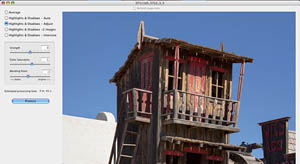
Please read this article
Workflow Shortcuts
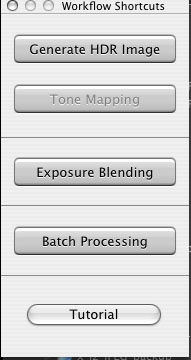
Using menus can slow down the workflow. The new "Workflow Shortcuts" palette guides the user through the normal HDR process:
- Generate HDR Image
- Tonemapping
Other improvements
- Pinching artifacts reduced (slight change in the Details Enhancer algorithm to avoid the problem of "pinching" artifacts showing along straight lines against a uniform background.
- On Mac you can drag&drop multiple files onto the Photomatix doc icon and it offers the option to merge these files (very nice feature). On Windows you drop it onto the open Photomatix application.
Conclusion
We find this a nice update for a very useful software. The workflow got clearly improved and the better alignment is what we waited for.
Highly Recommended |