Please Visit the all new Digital Outback Photo

Outback Photo E-Book Store


DOP2012_2

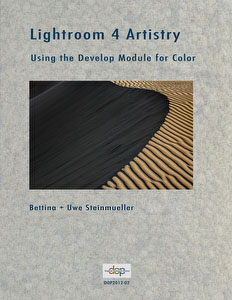
Lightroom 4 Artistry: Develop


Using the Develop Module for Color Images

by Bettina + Uwe Steinmueller


Testimonials (about our print book)

"....I am very impressed with the book you are about to read. It’s information like this that has helped to raise the quality of digital output and reduce the traditional art world’s resistance to the use of digital tools in art. It is a book written by someone who KNOWS fine art digital printmaking. Uwe’s style is concise and to the point. This comprehensive and complete guide to fine art digital printmaking should be included in the library of anyone who is serious about making fine art digital prints.

I only wish that all this excellent information had been available to me back in 1989 when I embarked on my digital journey. The hours I wasted….. The ink and paper I wasted….. The late nights…...The cold suppers…."

Mac Holbert (Nash Editions), 4/17/2006

 
  • Get the best image quality out of the Lightroom 4 Develop Module (for color images)
  • Learn the power of the new Process 2012 with it's Highlights and Shadows controls
  • Real world sample image workflow
  • Optional original DNG image download of the sample images (extra fee applies)
  • Learn about Gradient Filter and Adjustment Brush
  • Use Sync, Snapshots and Virtual Copies
  • Utilize the Lightroom Presets


Lightroom 4 Artistry

Using the Develop Module for Color Images

by Bettina + Uwe Steinmueller

E-Book with about 90 pages (printable PDF)

Read full table of Content

Price now only $16.95


We have now also a new book Lightroom 4 Artistry - Library.

You get a major discount as an owner of the Develop book.


Buy here for $16.95 (regular price 19.95)

Note: this e-book is an about 15MB download!

Secure Online Payments and Credit Card Processing by Plimus

Note: After your payment you receive download instructions by email (should take a few minutes if the network and server is ok). Please ensure that the email address is correct. If you do not receive the confirmation email send an email to us.


Note: Make sure that you can receive email via your email address and don't prohibit the delivery of our booklet's by spam blockers. Or send us a different email address that does not have spam protection hassle!


Manage the Digital Workflow


Featured E-Books

NEW

NEW

NEW

Featured Tuning Filters