E-Books
Donations
Studio / Gallery
Consulting
DOP PS Filters
Workshops
Summit


Outback Photo Handbook: Workflow Basics

Color Mechanic Pro


essay by Uwe Steinmueller


Manage the Digital Workflow


Testimonial

"You know, the last time a Photoshop tool made me do a double take and stare in amazement is when I first tried EasyS a few years back. I just tried out EasyDS and I was wowed yet again. Such a simple interface, yet the results are fantastic! I'm not talking about a subtle difference here, I did an A/B comparison and what I thought was sharp turned out to be pretty blurry :) And EasyDS does this without the usual ugly artifacts. Great job! P.S. Before trying to use exotic sharpening plugins or raw converters, photographers really need to look into your sharpening plugins. Their images will look better and they'll save a bundle." - Robert G. June 2009


Color Mechanic Pro

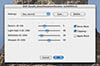
We have reviewed Color Mechanic Pro in the past (read our review).

This time we feature Color Mechanic Pro in a short video tutorial.

We like Color Mechanic Pro a lot. We would like to see a larger preview and also it to work as a Smart Filter in CS4. Because of its unique way of tuning color it is highly recommended.

You can get 10% off Color Mechanic Pro plugin. Be sure to use code BMIA0013V when checking out to receive your discount. Ends 11/30/2009.


Manage the Digital Workflow


B&H Photo - Video - Pro Audio

Handbook Index

INDEX
Introduction
Cameras & Gear
Workflow Basics
Color Management
Photography Basics
Shooting in the field
Image Organization
RAW
Advanced Editing
HDR and Tonemapping
B&W
Output/Printing
Backup & Archiving
Computer News
Lightroom Resources
Photoshop Resources
Composition
Appendix
Portfolios
SEARCH DOP
DOP FORUMS
Book Reviews
Test Camera Portfolios
DOP WORKSHOPS

Featured E-Books